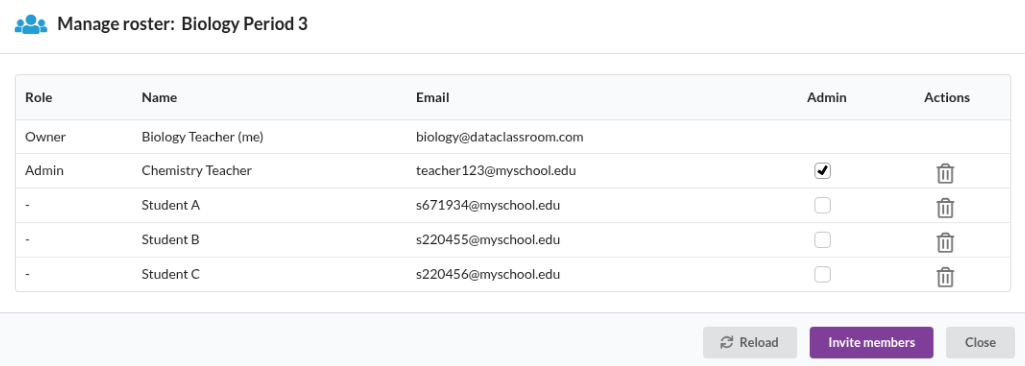
Managing class rosters is done from My Stuff -> Classes.
Or, from your account dashboard, find the My classes button on the left side of your screen.

If your class was synced from an LMS
Changing the roster of a class that has been fetched into DataClassroom from your LMS, can only be done in the LMS itself. See Importing classes from your LMS.
If your class is only in DataClassroom
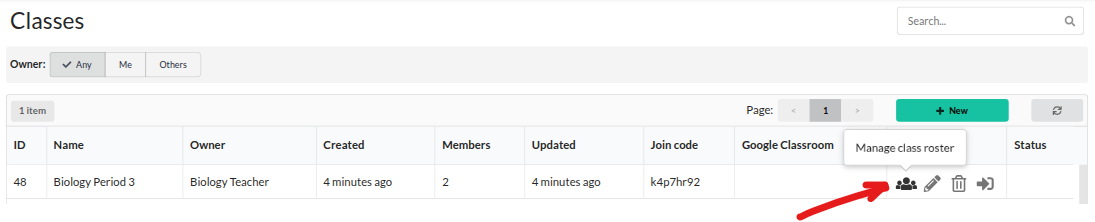
Click on the Manage class roster icon in the Classes list:
You will then be able to invite new members, remove students, add co-teachers and so on. See Creating classes for details.